
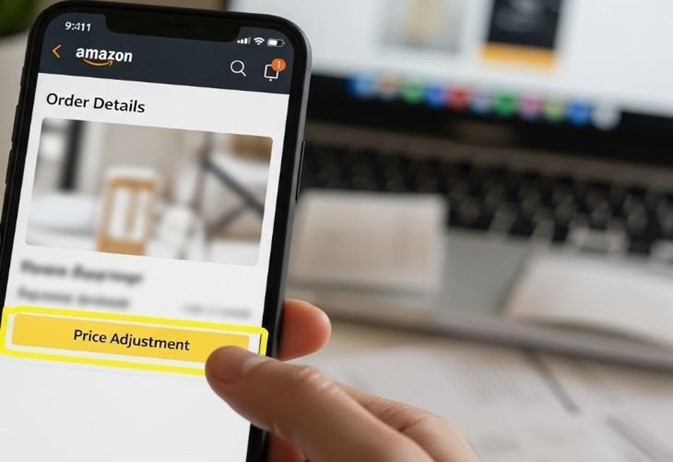
You buy something awesome on Amazon. But then you check the price the next day, and it’s lower! Now you feel like you paid too much. That stinks, right?
So does Amazon give you the money back if the price drops? The answer is no. Amazon does not have a price adjustment policy. That means they won’t send you a refund just because the item costs less after you bought it. But there are still ways to get the lower price.
In this article, we will explain Amazon’s rules on price changes and share methods you can try to get the difference back. We’ll also give tips to help you catch better deals in the future.
Amazon Pricing Policy
The truth is, there’s no Amazon price adjustment policy. This means they do not give you money back if an item you bought gets cheaper a few days later.
Let’s say you buy a backpack for 30 dollars. The next day, you see it is only 25 dollars. Now, Amazon will not send you the 5 dollars back. They will not even tell you the price dropped.
Other stores like Target or Walmart do have price adjustment rules. If you buy something and it goes on sale soon after, they will give you the difference back. But Amazon does not do this.
Why not? Because prices on Amazon change all the time. Some items go up and down every day. There are also many different sellers on Amazon. That means the same item can have different prices for different people.
Because of all this, Amazon does not promise to adjust prices after you buy. But do not give up yet. Just because they do not do it automatically does not mean there is nothing you can do. There are still smart tricks you can try to save money.
Methods to Try for a Lower Price
Just because Amazon doesn’t automatically refund you when prices drop doesn’t mean you’re out of luck. There are still a few smart ways to get that lower price or save some money.
Return It and Buy It Again
One of the most reliable ways to get the new lower price is to simply return what you bought and buy it again. It might sound a little weird, like a shopping trick, but it works as long as you act fast.
Amazon lets most people return items within 30 days for a full refund. If you just bought something and see the price go down, you can send it back and order it again at the cheaper price. Just make sure the item is still in good shape – unopened or barely used.
How to do it:
- Go to Your Orders on Amazon.
- Find the item you want to return.
- Click Return or Replace items.
- Choose “Return” and follow the steps.
- Print the return label (most returns are free).
- Pack the item up and drop it off or schedule a pickup.
This works best for things like headphones, toys, phone cases, or small gadgets. Be careful with big electronics or items sold by third-party sellers, as some might charge a restocking fee. And don’t wait too long for the return process, as the lower price might not last for long.
Ask Amazon for Help
Here’s a simple trick that doesn’t cost anything: just ask. Even though Amazon doesn’t have a price adjustment policy, sometimes a customer service agent will still help you, especially if you’re polite and the price drop is big.
This is called a goodwill refund. It means they don’t have to do it, but they might anyway as a nice gesture. It happens more often if you’re a Prime member or a long-time customer, and if the item was sold by Amazon itself.
How to ask:
- Go to Help on Amazon.
- Type “Contact Us” and choose Chat or Chat.
- When you talk to a support person, say something like:
“Hi! I bought [product name] a few days ago for [price]. Now I see it’s [new price]. Is there any way you can refund the difference? I’d really appreciate it!”
They might say no, and that’s okay. But sometimes they say yes, especially on big purchases like tablets, laptops, or gaming gear. One kid asked after his drone dropped $30 in price, and Amazon gave him a gift card for the difference.
Use Price Tracking Tools (So It Never Happens Again)
The best way to avoid overpaying is to wait for the right time to buy. And the easiest way to know when that is? Use free tools that track prices for you.
Websites like CamelCamelCamel.com show you how much an item has cost in the past. You can see a graph that tells you if the price is high or low right now. You can even set up email alerts so they tell you when the price drops.
Another tool called Keepa works right on Amazon’s website. When you install it as a browser extension, it adds a little price chart to every product page.
That way, you can see if the item usually gets cheaper during sales.
There’s also Honey, a free tool that not only finds coupons but can track your favorite items and let you know when they go on sale.
Using these tools is like having a robot shopping helper. Instead of guessing, you know the best time to buy. Many people save money just by waiting for Prime Day, Black Friday, or back-to-school season.
Tips to Save Money and Avoid Missing Out
If you want to avoid the “I paid too much” feeling, the best thing you can do is slow down a little. Most of the time, there’s no rush to buy something the second you see it. Give yourself a day or two. A lot of times, the price will drop on its own, especially if you’re looking at something popular.
Another smart move is to check the price history before you buy. Use a tool like CamelCamelCamel or Keepa to see how low the price has been in the past few weeks.
If you see it’s usually cheaper, it might be worth waiting. You could save $10, $20, or even more just by being patient.
Try to plan your big purchases around major sales events. Amazon has Prime Day in July and sometimes again in October. There’s also Black Friday, Cyber Monday, and back-to-school season.
These are the times when prices drop the most. If you can wait, you’ll often get a much better deal.
Always keep your order confirmation email saved. If you do decide to return something or contact customer service, you’ll need the order number, date, and price. Having it handy makes everything faster and easier.
Be careful when buying from third-party sellers on Amazon. These are not Amazon itself, they’re other companies or people selling on the site.
They don’t always offer free returns, and Amazon may not help you if something goes wrong. When possible, buy items sold by “Amazon.com” for the best protection.
Don’t forget that some things, like Kindle books, apps, or digital games, rarely get price adjustments. Once you buy them, that’s it.
The price might drop later, but you probably won’t be able to get your money back. So take a little extra time before buying digital stuff.
Try to train yourself to be a smart shopper, not an impulse buyer. Just because something says “Only 2 left!” or “Lightning Deal!” doesn’t mean you have to buy it now.
Frequently Asked Questions (FAQ)
Does Amazon Ever Give Money Back if the Price Drops?
No, not automatically. Amazon doesn’t have a price adjustment policy, so it won’t send you a refund if an item goes on sale after you buy it. But you can try returning it or asking customer service nicely.
How Long do I Have to Return Something on Amazon?
Most items can be returned within 30 days of delivery. Some bigger or special items might have different rules. So, always check the return window on the product page before buying.
Can I Return Something if I Open the Box?
Yes, in most cases. As long as the item is in good condition and not damaged, you can still return it. For electronics, make sure it’s clean and has all the parts. Amazon is usually pretty fair with returns.
Will Amazon Refund the Price Difference if I Ask?
They don’t have to, but sometimes they do, especially if the price drop is big or you’re a loyal customer. It never hurts to ask politely through chat or phone support.
What if I Miss the 30-Day Return Window?
If it’s been more than 30 days, you probably can’t return it for a refund. That’s why it’s important to act fast if you see a price drop. In rare cases, Amazon might still help, but it’s not common.
Final Thoughts
So, does Amazon give you your money back when prices drop? Nope, not automatically. But now you know the truth: you’re not helpless. You’ve got tools, tricks, and the power to act.
You can return an item and buy it again for cheaper. You can ask Amazon nicely and sometimes get a surprise refund. And you can use free tools to track prices so you never overpay again.
Every shopper makes mistakes. The real win is learning how to fix them or avoid them next time. With these tips, you’re not just buying stuff. You’re learning how to be smarter with your money.